Practical iPhone guides
Location history apps for iPhone, compared
Choose an app to record your own history from now on, judged on the same criteria. Whereday publishes this page and is one of the apps compared.
Short answer: pick by the job you need done
Disclosure: Whereday publishes this page and is one of the apps compared. Every app below is judged on the same criteria, and each claim about another product links to its own documentation or App Store listing.
If you want a private journal with portable files and no account, look at Whereday or Arc Timeline 4. If you already pay for Arc, check its current terms before you rely on it. If you want your own server, send OwnTracks or Overland points to Dawarich. If you want to see family members, that is a different job, so use Life360 or Find My. No app can rebuild days that were never recorded.
How we compared
This page answers “which app should record my history from now on?” To find where your existing history already is, read how to see your location history on iPhone.
Every app gets the same nine criteria: routes or stops only, where the data lives, whether you need an account, what you can see if you stop paying, export formats, Apple Watch recording, Google Timeline JSON import, and price model. Competitor cells come from the app’s own App Store listing, developer pages or documentation. Where we found no such statement, the cell says “Not documented”. We link App Store listings instead of copying prices, because prices change. Sources were checked on November 20, 2026.
Comparison table
| App | Routes or stops | Where data lives | Account | If you stop paying | Export formats | Apple Watch recording | Google Timeline JSON import | Price model |
|---|---|---|---|---|---|---|---|---|
| Apple Significant Locations / Visited Places | Places and predictive routes, per Apple | On your devices, end-to-end encrypted; Apple says it “cannot be read by Apple” | Apple Account for sync | Not a paid service | Apple documents no export | Not documented | No | Part of iOS |
| Find My | One point: current location, or the last known location for up to seven days (Apple). Apple documents no history view. | Apple’s Find My service | Apple Account | Not a paid service | Apple documents no export | Not documented | No | Part of iOS |
| Whereday (publisher of this page) | Visits and GPS routes | On your iPhone (privacy and data) | No Whereday account | New users keep file export after a subscription ends. Existing free users keep their earlier export-unlock requirement. | JSON, CSV, Markdown, GPX, KML, GeoJSON, OwnTracks, Overland (docs) | Yes, records on its own and queues the transfer to the iPhone (docs) | Yes, free, since version 1.8 | New users: trial, subscription or Lifetime. App Store listing |
| Arc Timeline 4 (Big Paua) | Not documented in the sources checked | “All data stored on your device” (listing); optional iCloud backup (Big Paua) | “No accounts, no sign-ups” (listing) | Developer, November 2025, before Arc Timeline 4: “Currently you need an active subscription to view your data in the app. You can however export your data to GPX and then view it in other apps, but that’s not really ideal.” (forum). Not stated for Arc Timeline 4. | JSON or GPX (“export your data at any time, as JSON or GPX”, Big Paua) | Not documented | Not documented | “A free trial is included. An active subscription or lifetime purchase is required after the trial period.” (listing) |
| Google Maps Timeline | Visits and routes saved on signed-in devices (Google Help) | On your device; optional encrypted backup on Google’s servers | Google account | Not documented | JSON (location-history.json) | Not documented | Not documented | Not documented |
| Dawarich with OwnTracks or Overland | The points your tracking app sends (Dawarich docs) | Your own server (OwnTracks: “a server of your choice”) | Not documented | “Self-host for free — every Pro feature, your server, zero cost”; paid hosted plans (pricing) | GPX, GeoJSON (Dawarich FAQ, dawarich.app) | Not documented | Yes (Dawarich imports) | Free to self-host; hosted plans are paid |
| Life360 | Family location sharing; its listing says Silver: 2 days, Gold: 30 days of Location History (App Store) | Not documented | Not documented | Not documented | Not documented | Not documented | No | Subscription tiers on the App Store listing |
Checked November 20, 2026. “Not documented” means we found no statement in the linked sources, not that the feature is absent. “No” in the import column for Apple, Find My and Life360 means Whereday does not import their data. Whereday cells are checked against the app and its documentation.
Built-in Apple features
Apple’s Location Services & Privacy page says Significant Locations keeps “places you have recently been” and “the routes you take” to give you personalized features, such as predictive routes and Memories in Photos. Apple says this is end-to-end encrypted and cannot be read by Apple. Apple documents no export, so you cannot take that list out as a file. Read Significant Locations and Visited Places explained for what each keeps.
Find My shows the current location, or the last known location for up to seven days, according to Apple’s Find My article. Apple documents no history view. See whether Find My keeps location history.
Whereday
We make Whereday, so weigh this section accordingly. It records visits and GPS routes on your iPhone. The Apple Watch app can record GPS on its own and queues the transfer to your iPhone (Apple Watch docs). Records are stored locally and there is no Whereday account (privacy and data).
Export writes eight formats: JSON, CSV, Markdown, GPX, KML, GeoJSON, OwnTracks and Overland (export and import docs). Import and Export Preview are free. Whereday imports Google Timeline JSON in the raw, legacy semantic and on-device formats, and its own JSON, CSV, Markdown and backup files. It does not import GPX, KML or GeoJSON.
Access rules. From version 1.8, new users need an eligible trial, subscription, or Lifetime purchase to track. Existing users keep free tracking and prior purchase rights. New users keep file export after a subscription ends. Existing free users keep their earlier export-unlock requirement.
Access rules for new and existing users are on the homepage.
Arc Timeline 4
This is Arc Timeline, the location app from Big Paua, not the Arc browser. The current app is Arc Timeline 4. Its listing says “All data stored on your device”, “No accounts, no sign-ups” and “Export your data anytime in standard JSON format”. It also says: “A free trial is included. An active subscription or lifetime purchase is required after the trial period.” Big Paua’s Arc page says data is stored on iPhone, with no account and optional iCloud backup, and that you can “export your data at any time, as JSON or GPX”.
The original Arc Timeline listing (id1063151918) says in its 3.17.4 release notes: “All new subscriptions and Lifetime purchases now happen in Arc Timeline 4. This app stays in place for existing subscribers.”
On what happens when you stop paying, Big Paua’s developer wrote on its support forum (November 2025, before Arc Timeline 4): “Currently you need an active subscription to view your data in the app. You can however export your data to GPX and then view it in other apps, but that’s not really ideal.” We found no Arc Timeline 4 statement on this, so we don’t claim it applies. The safe advice is to export while your access is active.
Google Maps Timeline
Per Google’s Timeline help for iPhone, visits and routes are saved on signed-in devices. Timeline is off by default and opt-in, and you need a Google account. Backup is an encrypted copy on Google’s servers and requires auto-delete to be off. Auto-delete runs at 3, 18 or 36 months. To export, open your profile picture → Settings → Location & Privacy → Export Timeline data, which saves location-history.json. For depth, read Whereday and Google Timeline compared.
Self-hosted: OwnTracks or Overland to Dawarich
OwnTracks sends to “a server of your choice” (OwnTracks booklet). Dawarich is a server you run, and its tracking docs list Overland, OwnTracks, Traccar Client and GPSLogger, and name official Dawarich apps for iOS and Android. It imports Google Timeline JSON, and its pricing page says “Self-host for free — every Pro feature, your server, zero cost”, with paid hosted plans.
The trade-off is effort: you run, secure and back up the server yourself. Whereday can also send points to Dawarich; see Dawarich integration.
Family sharing apps
Life360 and Find My do a different job: they share live location with people you choose, and aren’t built as a personal journal. The Life360 listing describes family safety and location sharing. If that is what you need, use them. Read does Find My keep location history for what Apple keeps.
Questions to ask before you commit
- Can I export before the trial ends? Do it before then.
- Does a GPX or CSV export open in another tool on day one? Test it with a short outing (see the GPX viewer and export docs).
- Are the battery and permission settings right? Read location tracking and battery.
- Do I keep the original file after any export or import? Keep it, and see backing up your history.
- What can I see if I stop paying? Check the cell for that app above.
No app can rebuild days that were never recorded. See missing location history and the private location journal guide.
Switching: moving existing history
Whereday imports Google Timeline JSON in the raw, legacy semantic and on-device formats, and its own JSON, CSV, Markdown and backup files. Follow the Google Timeline import walkthrough. Whereday does not import GPX, KML or GeoJSON, and it does not import Arc, Life360 or Apple data. You can still inspect GPX files in the GPX viewer and combine them with Merge GPX.
FAQ
Does iPhone keep a location history?
Apple keeps Significant Locations, which it says is encrypted and unreadable by Apple, with no documented export. See Significant Locations.
Is there an app that tracks everywhere I go?
Several apps record visits or routes; the table shows how each does it. Any app is limited by permissions, battery settings and the days it was running.
Can I export my location history from iPhone?
Not from Apple’s built-in features, which document no export. Apps like Whereday, Arc Timeline 4 and Google Maps Timeline offer exports. See how to see your location history.
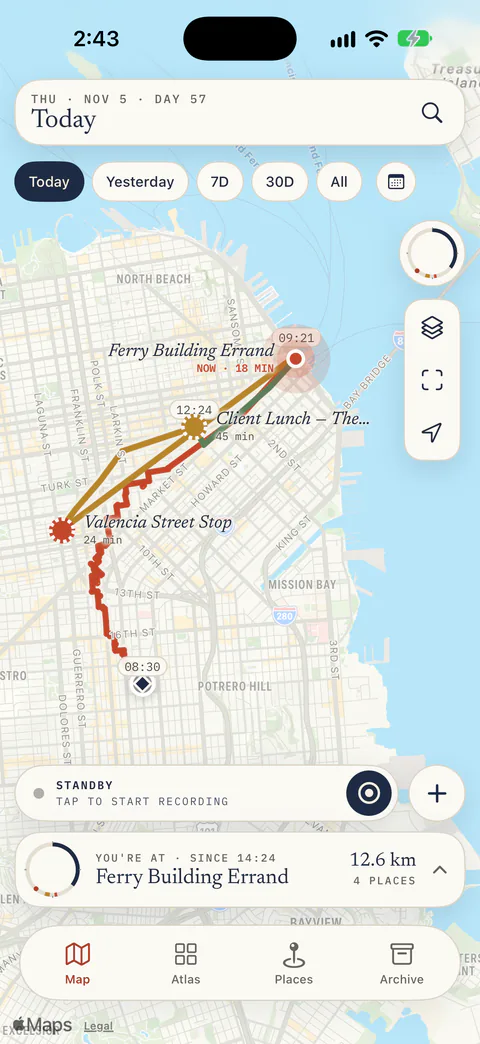
Record your own history from today.
Check your access, then record a short outing and test the export.
Download free for iPhoneAccess rules for new and existing users are on the homepage.